Mark An Issue As A False Positive
Follow the steps below to mark an issue as a false positive:
Step 1: Go to the Issues interface, which is under Results on the menu.
Step 2: Select which issue you would like to mark as a false positive from the table.
Step 3: Under Affected Hosts, select the ‘three dots’ button on the right-hand side.
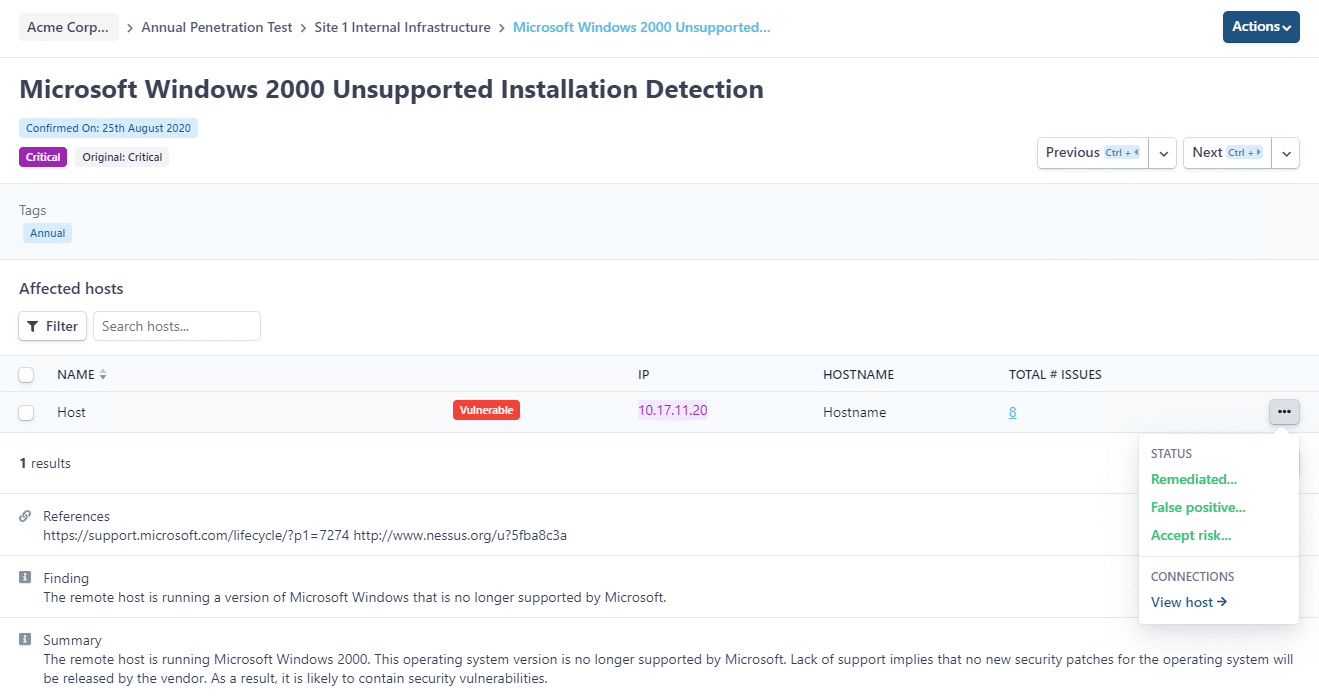
Step 4: Click ‘False positive…’.
Step 5: Type a message into the comment box to summarise why you think the issue is a false positive. You can also add attachments.
Step 6: Click ‘Save comment’.
You can also change the statuses of multiple issues at one time. Find out how here.
source https://www.rootshellsecurity.net/mark-an-issue-as-a-false-positive/


Comments
Post a Comment